

Client Portal Software for Accountants:
Built So Your Clients Actually Use It

Most client portals are frustrating for clients to use. Client Hub is built for a modern, clean experience that your clients will love. So requests stop sitting in inboxes, and your work keeps moving.

Get a Demo
client portal software for accountants

Your Portal Only Works If Your Clients Use It

Most client portals are built as an after-thought. Here's what that costs you every week:

Clients won't use it

You rolled out a portal, but clients ignore the login and keep texting and emailing you instead.

Everything's scattered

Files and messages pile up across inboxes, texts, and Dropbox, and the document you need always goes missing.

You're always chasing

Another follow-up, another reminder. Work stalls while you wait on information that should already be in.

Client Portal Software for Accountants, Built for Your Firm’s Workflow

Same job, opposite approach. Here is how Client Hub compares to a typical client portal:
MOST CLIENT PORTALS
Who It’s Built For
Designed for your team; clients find it clunky and give up
Built for your clients too: clean, mobile-first, one tap to reply
Branding
Generic and unbranded; looks like someone else’s software
Fully branded as your firm: your logo, colors, and custom login URL
Pricing
Charges per client, so every new client raises your bill
Unlimited clients on one flat per-user price
Mobile
Desktop-bound, or a clunky mobile website
A real iOS and Android app with push notifications

Client Communication That Never Gets Lost

One secure place for every client conversation

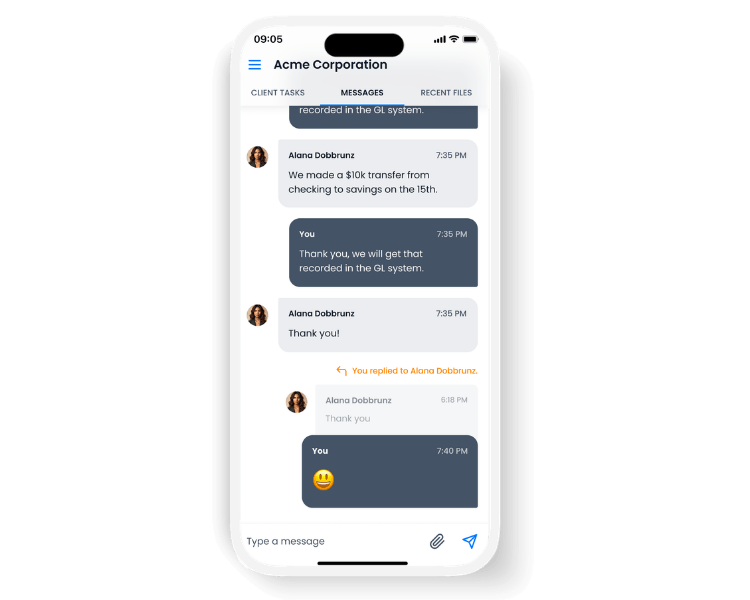
Pull every client message out of scattered texts and personal inboxes and into one secure space. Conversations stay organized, on the record, and tied to the work they are about. One secure place to talk: Your team and clients chat directly in the encrypted Conversations panel that replaces email for good.
  • Context stays with the work: Attach a comment thread to a specific task or transaction so the discussion never gets separated from what it is about.
  • Built for how clients communicate: Clients send messages, attach files, and drop quick reactions right from their phone.
  • Clear expectations, always: A firm-wide out-of-office banner shows in every workspace so clients know when to expect a reply.

Hand Off Client Work and Keep It Moving

Tasks your clients can actually complete

Assign tasks straight to your clients and keep everyone on the same page. Every request is clear, trackable, and tied to a due date, so work gets done without a single confused email.
  • Clear requests, every time: Clients see exactly what you need and when it is due.
  • Status updates automatically: Tasks flip from Open to Answered the moment a client uploads what you asked for, so nothing slips through.
  • A timestamped record: Every response is logged, so there is no more "what do you need from me again?"
  • Done in a few taps: Clients check items off from the web or their phone.

Turn Uncategorized Transactions into Quick Client Answers

Bookkeeping workflows built right into the portal

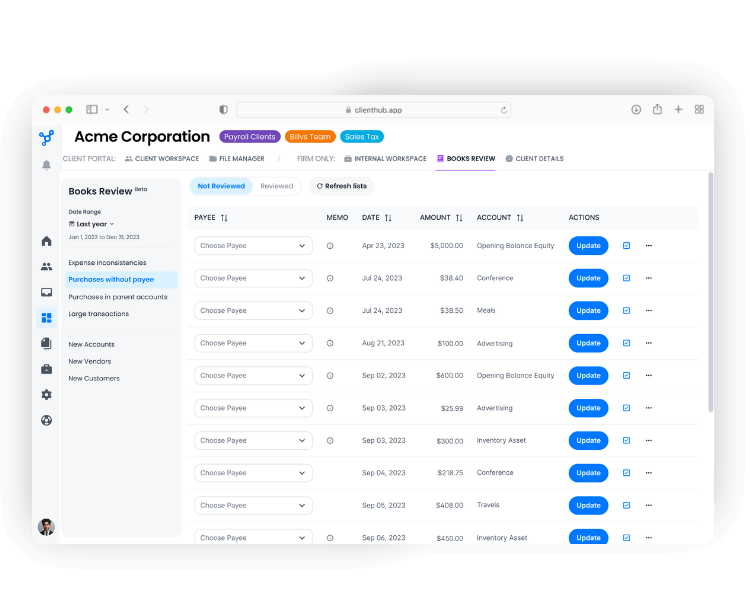
Stop chasing clients over email to explain a charge. Uncategorized transactions from QuickBooks Online and Xero flow into a dedicated box in the client's workspace, where clearing them takes a few clicks instead of a thread of follow-ups.
  • Clients explain in their own words: A quick click lets them type a description of what the charge was for.
  • Receipts attach in the moment: Clients add the supporting receipt right to the transaction.
  • It all comes back for review: Categorized items return to you ready to approve, no email required.
  • Everything stays in the portal: Clients never leave the workspace to get it done.

Stop Hunting for Client Documents

Every document, collected and organized automatically

Give clients one place to find and share files. Documents are easy to add and stay organized automatically, so nothing gets lost between you and your client.
  • Upload in seconds: An easy-upload button lets clients add documents without the hassle.
  • Everything collects automatically: Files shared through tasks or conversations pull into the file manager on their own, so nothing slips through the cracks.
  • Internal folders stay private: Your firm's internal folders stay completely hidden from clients.
  • No storage limits: Unlimited storage means you never hit a wall.

Reach Clients Where They Already Are

A client portal that lives in their pocket

Plenty of clients are rarely at a desk. The Client Hub mobile app is built to keep them engaged from their phone, so requests get answered and documents get sent without anyone waiting on a computer.
  • One login across web and mobile: Clients sign in with the same credentials they already use on the web.
  • Push notifications, not ignored emails: Real-time alerts for new messages, tasks, and files reach clients the moment they matter.
  • Snap and upload from the camera: Clients photograph a receipt or document and it lands straight in your file manager.
  • Built for clients on the move: Ideal for contractors, restaurant owners, and anyone rarely at a desk.
  • Less email, more done: Quick mobile replies cut the back-and-forth so work keeps moving.

Put Your Brand on Every Client Touchpoint

A portal that looks like your firm, not your software

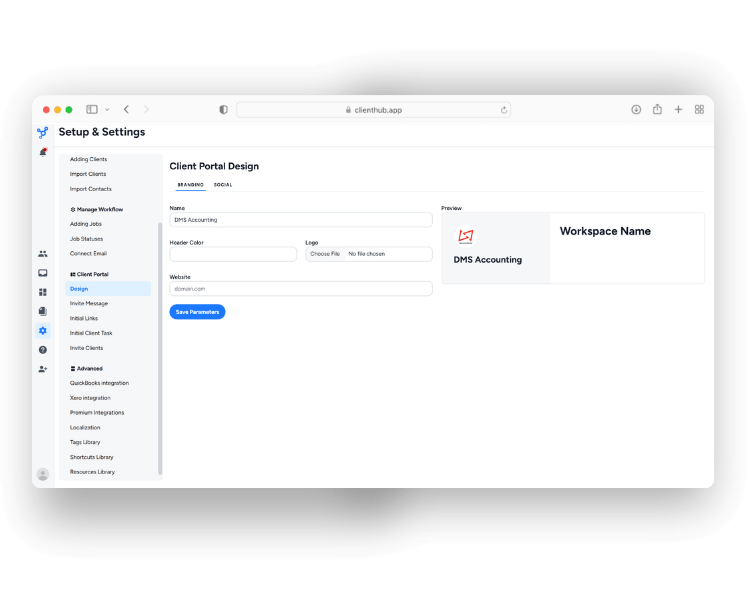
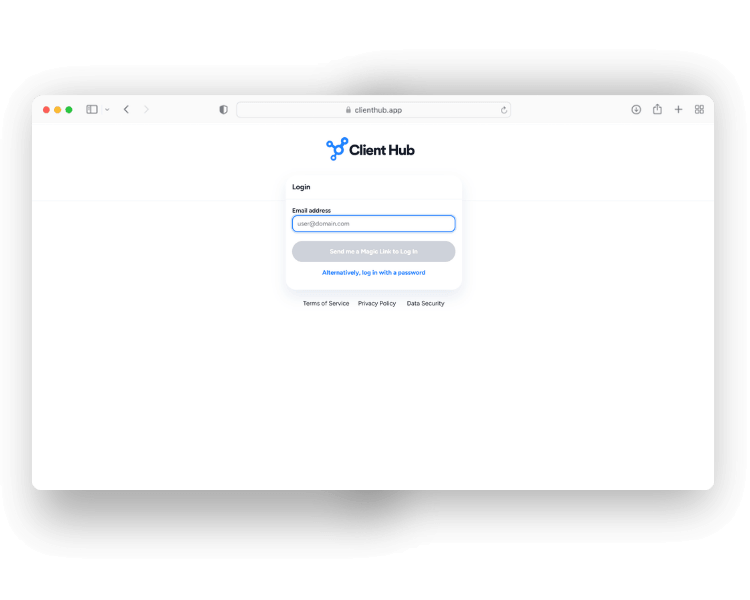
Every touchpoint reinforces your brand. From the login page to every message you send, the portal looks like your firm, not your software.
  • White-label the portal: Add your firm's branding and link to it straight from your website.
  • A branded welcome: New clients get a personalized invite email in your firm's voice.
  • Your logo, everywhere: Show your branding across the portal and every communication you send.
  • Clients personalize too: Clients can add their own business logo to their workspace.
  • Connect beyond the portal: Add your firm's LinkedIn, Facebook, and X links so clients can reach you anywhere.

Flexible Access for Every Client Relationship

Give clients, business owners, admins, and outside accountants the right access without extra login friction

Client relationships are not always one-to-one. The portal is built to support multiple businesses, multiple contacts, and different levels of involvement without making access complicated.
  • One login, multiple businesses: Clients can access every connected business from a single account.
  • Separate users for each contact: Invite owners, admins, bookkeepers, or outside accountants individually.
  • Requests go to the right person: Assign tasks based on who needs to provide or review information.
  • Sensitive information stays separate: User-level access helps protect client data.
  • Security stays simple: 30-day login persistence and optional two-factor authentication reduce friction.

Become Your Clients' Home Base

More than a portal: a hub for everything clients need

Turn the portal into your clients' home base. One customizable space holds the tools, resources, and reports your clients reach for most, so everything they need is a tap away.
  • Shortcuts into their tech stack: One-click links log clients straight into their bank, payroll tools like Gusto, and point-of-sale systems like Toast.
  • Resources pinned and ready: Keep welcome guides, SOPs, and custom Loom walkthroughs front and center so help is always close.
  • Reports, not just PDFs: For QuickBooks Online workspaces, publish AI-enhanced financial report packages right to the portal for a clearer, deeper read on the numbers.

Unlimited Clients: No Per-Client Pricing Ever

Some portals charge you more every time you add a client. Client Hub doesn't. You pay per team member and bring on as many clients as you want, with no gated features and no add-on fees. As your firm grows, your portal grows with it.
See Pricing

Who We Serve

Client Hub's workflow, practice management, and client communication tools are the right choice for many different kinds of firms.

Why Do Users Love Client Hub?

Firms save time, reduce effort, and drive growth with our solution. These are some of their stories.
“Client Hub was the missing piece to bring all client interaction in one location -- it is a real game changer for our firm!”
Erick Rivera
BalCo Business Solutions
Capterra LogoQuickBooks Online LogoClient Hub Logo
“Client Hub has a firm-to-user experience that is simple and easy to get up and running, but powerful.”
Will Lopez
Capterra LogoQuickBooks Online LogoClient Hub Logo
“Client Hub is SO easy to set up and tailor is to your business. I highly recommend spending the time to set up your business how you want it, and having your clients download the app first meeting. This thing not only made my life easier, it shows my clients that we are a tech company and that we truly stay on top of our game.”
Joel Felix
Capterra LogoQuickBooks Online LogoClient Hub Logo

Frequently Asked Questions

How is this different from a generic document portal?

Most portals are poorly deisgned, so clients find them clunky and revert to email. Client Hub is the client portal software built for accountants and bookkeepers, with the client experience designed in: mobile-first, branded as your firm, and simple enough that clients actually use it. And with no per-client pricing, it scales with your client base instead of penalizing it.

Is Client Hub's client portal secure?

Yes. Client data is protected with the same security standards used by major institutions, with encryption and access controls on every conversation, file, and report, so you can confidently move clients off texts and personal email.

Do my clients have to pay or download anything to use the portal?

No. There's no cost to your clients, and no required download. They can use the portal in any web browser. If they'd prefer their phone, the free Client Hub app for iOS and Android uses the same login.

Can I add unlimited clients?

Yes. Client Hub is priced per team member, not per client. You can add as many clients as you want without your subscription cost going up, and there are no gated features or add-on fees.

Can I brand the portal with my own logo and URL?

Yes. Add your logo to the portal and every communication, customize your client invite emails, and, on paid plans, set up a custom URL with a fully branded login page. Clients experience your firm, not ours.

Do clients need a separate login for each of their businesses?

No. Clients who work with you across multiple companies access all of their workspaces from a single login, with no juggling accounts.

How do I know if my client has seen my message?

You can check read receipts to see exactly who has viewed your message and when. Just swipe your sent message to the left, and a screen will pop up with the "Seen by" or "Viewed by" details.

Ready to Build a Calm, Profitable Firm with Smarter Accounting Practice Management?