The Simpler, Smarter Alternative to Double.

One price per user. Unlimited clients.

QuickBooks and Xero workflows, month-end close, client collaboration and AI — without paying again every time you win a client.

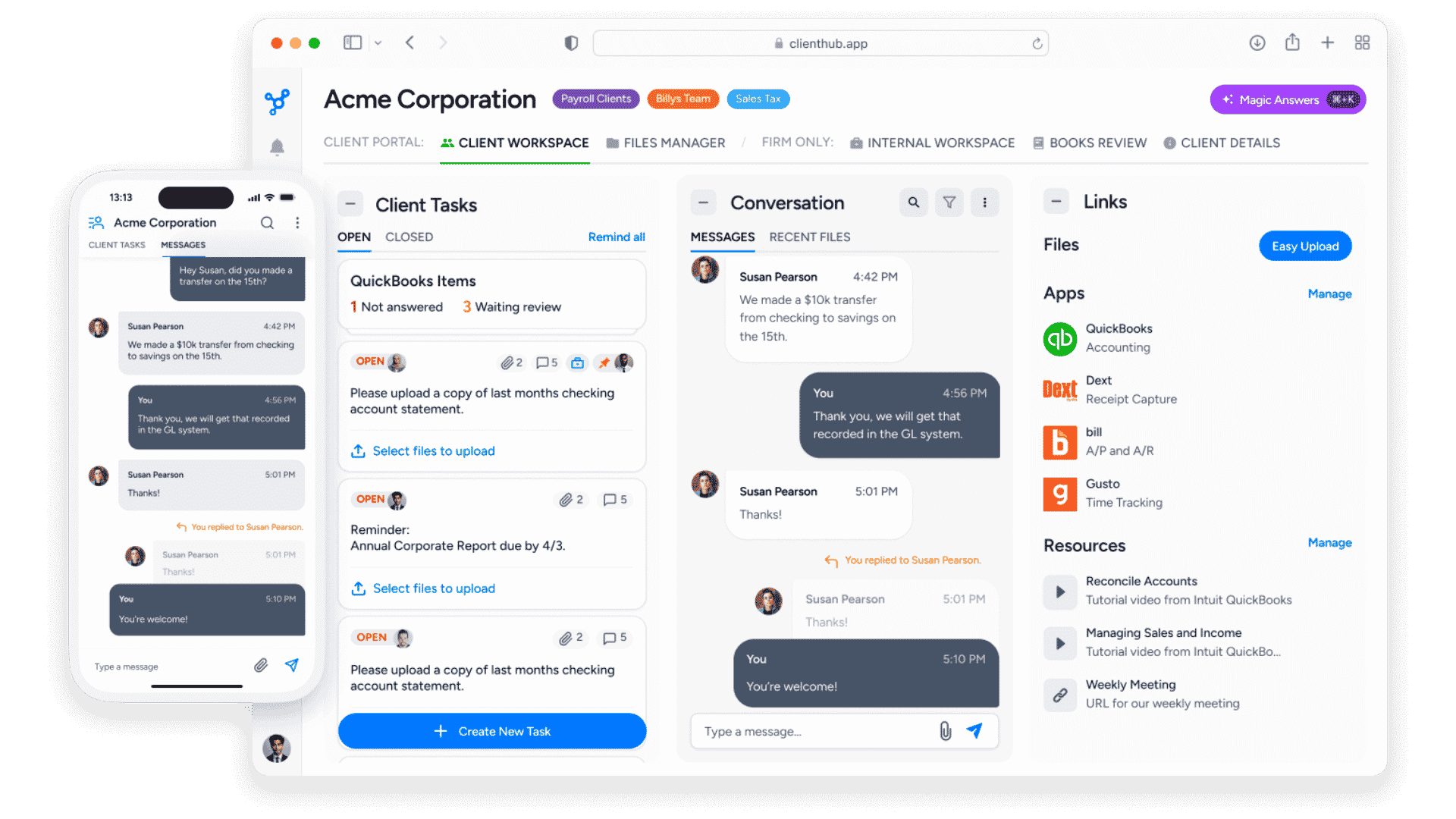
Get a DemoCompare Client Hub vs. Double ↓Client Hub client workspace on desktop and mobile
OUR THREE COMMITMENTS

Features change.
Our commitments will not.

You can use a comparison chart and see what various products offer today. We'll win on some and maybe have some gaps, but all this can become outdated quickly.

For your firm's practice management system, consider a multi-year horizon.

Look at what won’t change. Three commitments have always defined us. If they resonate with you, we’re the right partner for your firm.

Powerful, yet simple to use

Powerful firm workflows. Simple for your team and clients.

Excellence in customer service

Get US-based support from people who know firm work firsthand. Most of our customer success team worked in firms before joining Client Hub.

Great value for firms

Straightforward per-user pricing lets your firm support unlimited clients, without per-client fees or setup costs.

See if Client Hub is the right fit for your firm.

Book a personal demo.

Client Hub or Double: which is right for your firm?

Double, formerly Keeper, is a capable month-end close platform built around a two-way sync with the ledger.

Client Hub is full practice management for firms that want the close, the clients and the team in one system — at a price that does not move with your client list.

Choose Client Hub if...

• You want one price per user, with unlimited clients included
• Your client list is growing and you do not want the bill growing with it
• You want workflows your team can learn quickly
• You need jobs, deadlines, documents, and client collaboration in one place
• You want tax questionnaires, document requests and eSignatures without a separate suite
• You want AI included in your subscription

Double may be a better fit if...

• Month-end close is your single biggest pain and you want a tool built only for that
• You have a large team relative to your client count, and unlimited users outweighs per-client pricing
• Automated accrual schedules that post back to the ledger are a core need
YOUR FIRM. YOUR NUMBERS.

What would your firm pay?

Enter your team size and client mix. See how per-user and per-client pricing compare over a year.

Build your comparison

Team members using Client Hub
$79 per user/month, billed annually. Unlimited clients.
Connected clients on Double

Total connected clients: 150

Estimated annual cost

Double$51,000
Client Hub$9,480
Estimated annual savings with Client Hub$41,52081.4% less than the Double estimate

10 firm users · 150 connected clients · Client Hub billed annually

See Client Hub in Action
Client Hub: priced by your team

Add clients without increasing your subscription, as long as your number of firm users and plan stay the same.

Double: priced by your clients

Each connected client adds the price of its selected tier. Unlimited users are included.

USD estimates based on Client Hub pricing and Double’s published tier rates, checked October 15, 2026. Practice Manager: $59/user/month annually or $79 monthly. With QuickBooks & Xero: $79 annually or $99 monthly. Client Hub’s annual rate is billed yearly; monthly plans are projected over 12 months. Double is estimated at $10 Core, $25 Plus, and $50 Scale per connected client/month × 12. Excludes taxes, discounts, and optional add-ons. Plans differ in scope; compare the features your firm needs. Solopreneur pricing is not included.

Compare the month-end close experience

Double’s month-end close

• Client and period selectors, teammate controls, and links to the portal, files, and comments
• Separate tabs for bank feeds, accruals, close, metrics, and reporting
• Status queues for ready items, requests, waiting items, uploads, and transactions
• Nested tasks for transaction review and uncategorized transactions
• AI tools alongside close and review work

Double brings detailed review tools into the close, including flux analysis with account balances, comments, variances, and AI assistance.

Client Hub’s Books Review

Review categories in one clear menu. Choose expense inconsistencies, missing payees, large transactions, or another check to focus on the details you need.

A focused report with room to read. Review balance sheets and profit and loss statements, with a clear “Run AI Analysis” action when you need a second look.

Act on missing information. Create client tasks from Books Review to collect missing receipts and supporting details.

Takeaway: A clear list of checks, one focused report, and client follow-up built into your review workflow.

Client Hub Books Review with review categories on the left, a balance sheet report, and a Run AI Analysis button
Client Hub Books Review. Select the image to view it full size.
Explore Books Review and our QuickBooks integration →

Client Hub vs. Double at a glance

Decision factor
Client Hub
Double
Pricing model
Per firm user, unlimited clients
Per connected client, unlimited users
Published rate (annual billing for Client Hub)
$59–$79/user/month
$10 / $25 / $50 per client/month by tier
Annual example: 10 users, 50 clients per Double tier
$9,480/year (with QuickBooks & Xero, billed annually)
$51,000/year
What it is
Full practice management
Month-end close and file review, with client tools attached
Accounting platforms
QuickBooks Online and Xero, two-way
AI
Included
Shared AI credits; additional usage may require paid credits
AI assistant coverage
QuickBooks and Xero
Ask Double is “currently available for QuickBooks clients only”
Tax work
Questionnaires, document requests, eSignatures
The Tax Suite, an add-on from $200/month annual commitment
Mobile app for your team
Yes — staff manage tasks, messages and files from a phone
No. Their app is for clients only — “only Contacts can log in”
Word and Excel editing
Edit in place in the browser, no download or re-upload
Not published — files move, download and delete
Getting started
Free 14-day trial
Free trial, but only after a demo and “a contract to pilot Double”

Takeaway: Run your workflows and client collaboration in one place, with predictable per-user pricing.

Frequently asked questions

Is Double the same as Keeper?

Yes. Keeper rebranded to Double in October 2025 following a trademark dispute. Same company, same product.

How does Double's pricing compare with Client Hub?

Double charges by connected client: $10/month on Core, $25 on Plus, and $50 on Scale, with unlimited users. Client Hub charges by firm user, with unlimited clients. Practice Manager starts at $59/user/month with annual billing; the plan with QuickBooks and Xero is $79/user/month annually. Use the calculator above to compare your team size and client mix. Taxes, discounts, and optional add-ons are excluded.

Does Double work with Xero?

Yes, with a genuine two-way sync, same as QuickBooks Online. Their Ask Double AI assistant, however, is documented as “currently available for QuickBooks clients only.”

Does Double have a mobile app for my team?

No. Double's mobile app is built for clients — their documentation states that only Contacts can log in, so your staff cannot use it. Client Hub has a mobile app for your team as well as your clients.

Does Double replace my whole practice management stack?

Double is built around month-end close and file review rather than full practice management. Compare the workflows your firm runs every day — jobs, deadlines, client requests, documents and team collaboration — against what each system covers.

What does Double do well?

Double focuses on month-end close and file review, including transaction review, expense inconsistency detection, accruals, and AI journal entries. Compare those tools with the broader workflows and client collaboration your firm needs.

How difficult is it to migrate from Double?

Our team guides you through setup and moving your clients across, and onboarding is included at no additional cost.

See how Client Hub fits your firm

Bring your workflows, client communication, and files into one place. Book a personal demo built around the work your firm does every day.

See Client Hub in Action