Ask relevant follow-ups
Use conditional questions based on earlier answers.

Your team leads the work. Client Hub keeps it moving.
Start with intelligent tax organizers. Keep documents, client questions, authorization and delivery connected to your team’s work.
Clear next steps for your team and clients, through all five stages.

Start with a prior-year organizer PDF. Review the drafted questions and suggested answers before sending. Clients confirm their details and upload documents in the portal or mobile app.
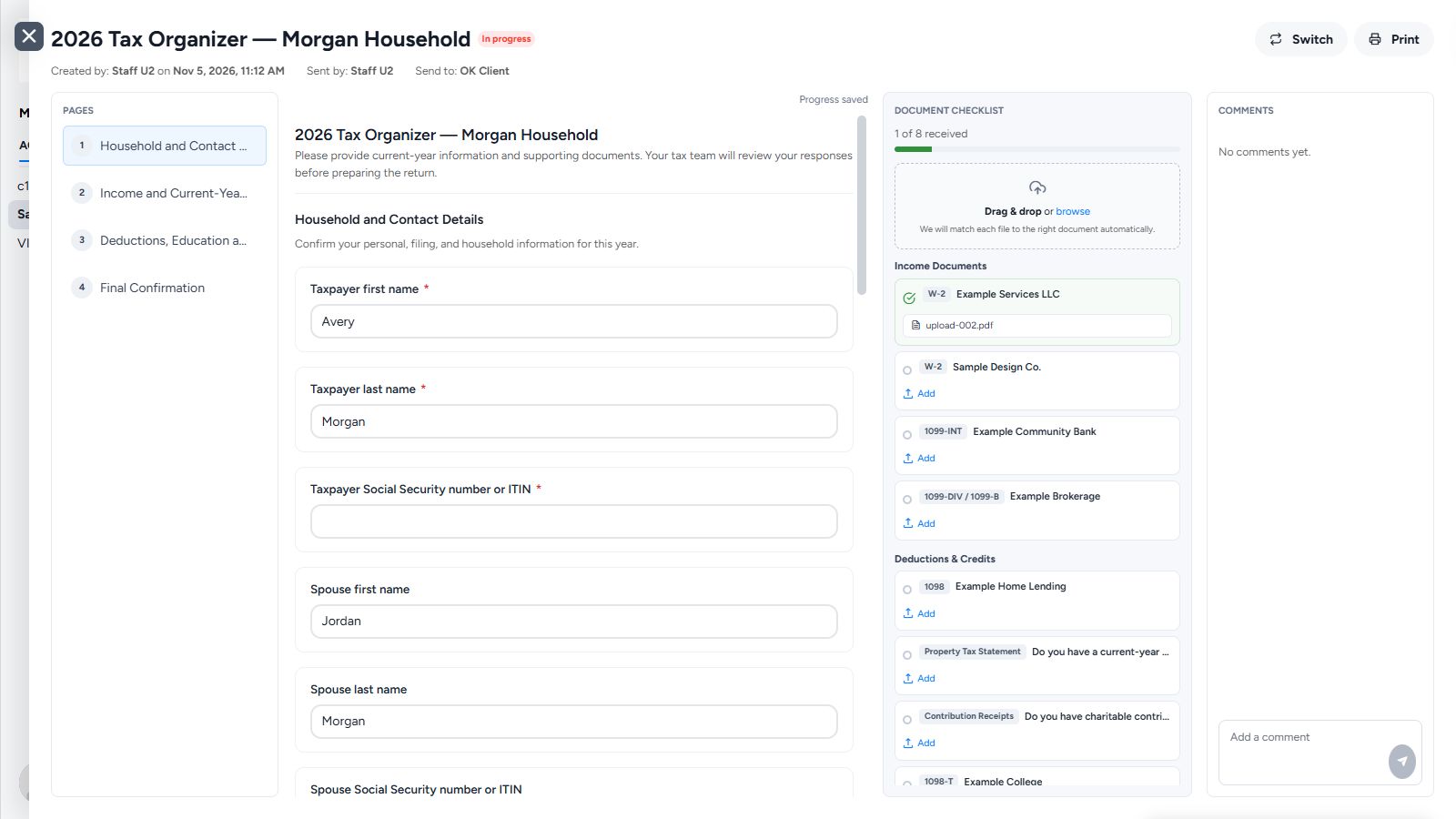
Use conditional questions based on earlier answers.
Uploads are recognized, matched to requests and marked received automatically.
Your firm controls the questionnaire clients receive.
Clients don’t have to label a file or choose its document type. Client Hub recognizes what they upload, matches it to the requested document and marks that item received.
Clients add their files in one upload area.
Client Hub identifies the documents and updates the request list.
Your team and clients can see received and outstanding items.
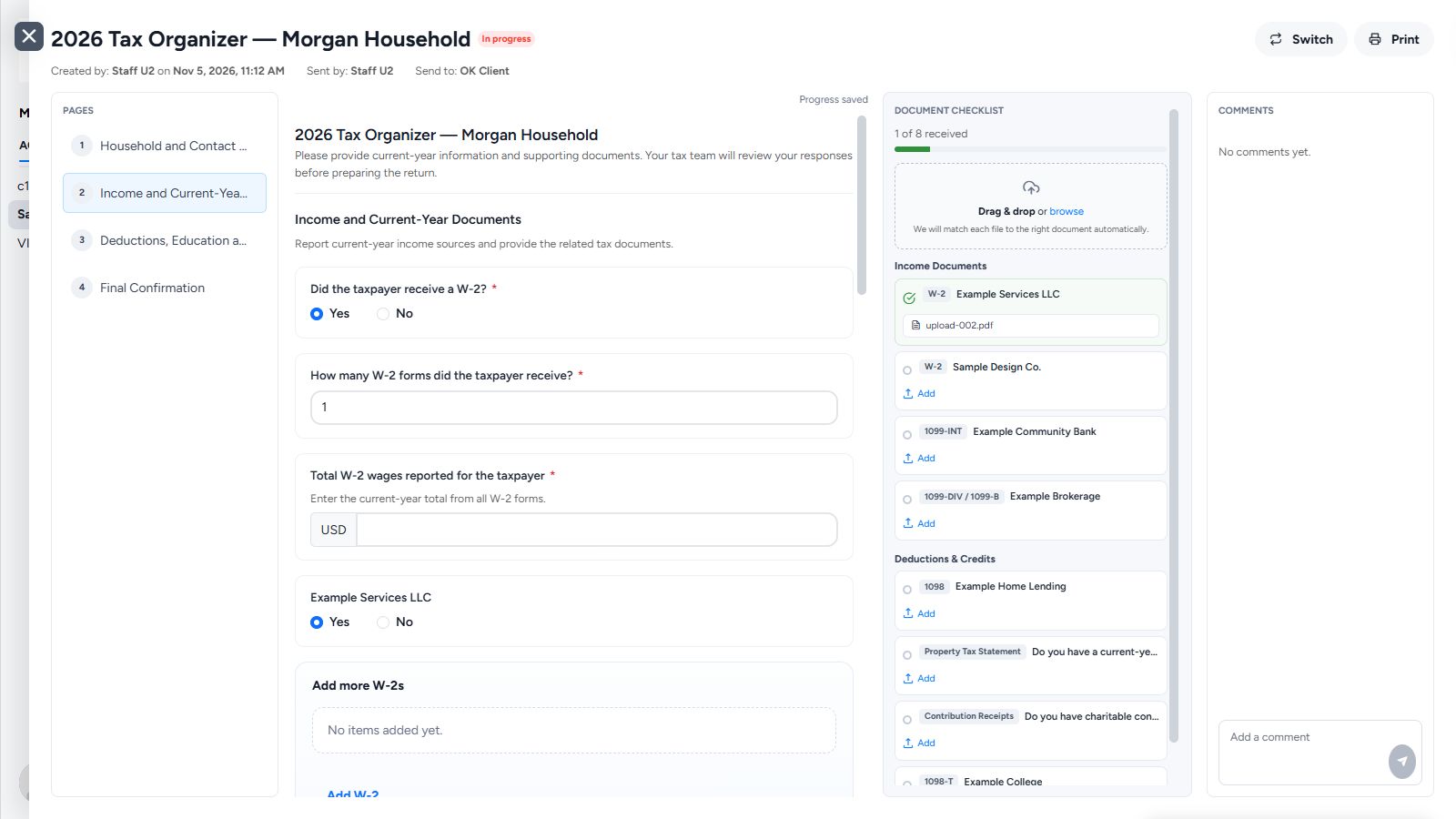
Turn the organizer from your tax software into a questionnaire clients can complete on the web or their phone.
Keep questions, documents and approvals in the client workspace, with a clear record of what still needs an answer.
Track progress, outstanding items and who owns the next step across your clients, right through the deadline.
Keep client collaboration connected to the work your team is doing at every stage.
Upload the organizer from your tax software and turn it into a simple client questionnaire. Clients answer questions and provide documents through the Client Hub portal or mobile app.
Intelligent tax organizer · Portal · Mobile app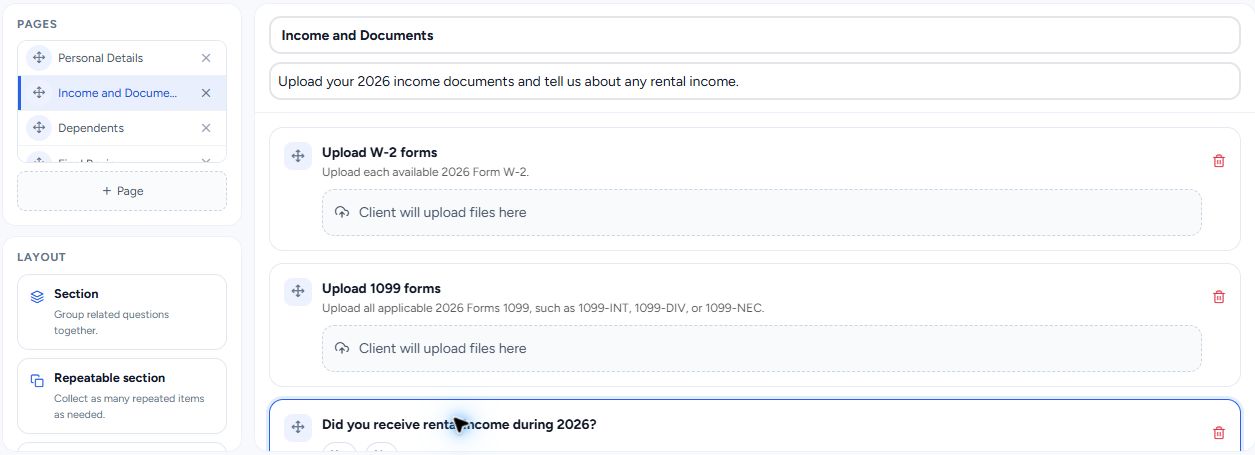
Access collected client documents and edit Word and Excel workpapers directly in Client Hub. Your team prepares the return in your tax software, with the supporting documents close at hand.
Word & Excel editing · Client documentsSend open questions as Client Tasks in a shared checklist. Clients respond in one place, comments preserve each answer, and automatic reminders handle the follow-up.
Client Tasks · Comments · Automatic remindersFollow your firm's final review process. Save the draft return straight from your tax software to a client shared folder with Client Hub Uploader, so the client can review it in the portal.
Client Hub Uploader · Client shared folders
Send a KBA-based eSignature request for Form 8879 directly from Client Hub. Keep the finished return in the client shared folder, where clients can access it alongside the documents and conversations from the engagement.
KBA-based eSignature · Form 8879 · Digital deliveryDocument management for your whole firm
Edit Word and Excel files directly in Client Hub. Keep the working documents with the client, without syncing every client folder to every team member’s computer.
Open a Word or Excel workpaper, make your changes and save in Client Hub. Reduce the downloading, re-uploading and extra copies that make it hard to know which file to use.
Keep documents in the shared client workspace. Your team can work on files without maintaining a local copy of every client’s folders on every machine.
Client uploads, document requests and shared files stay in Client Hub. Automatic document matching keeps the request list current, so your team can see what’s still missing.
Preparation can move quickly and still stop at a missing document or unanswered question. Keep every request visible to your team and your client, with reminders that run themselves.

| Stage | The manual process | With Client Hub |
|---|---|---|
| Intake & Organizer | A PDF organizer and documents arriving separately by email. | A client questionnaire with answers and uploads in the portal or mobile app. |
| Prep & Review | Download workpapers, edit locally, then upload another copy. | Edit Word and Excel workpapers in place, alongside the collected client documents. |
| Client Inquiries | Open questions in email threads. Your team chases the answers. | A shared checklist, comments and automatic client reminders. |
| Finalize | Review the figures, then email a draft return to the client. | Follow your review process and save the draft to a client shared folder with Client Hub Uploader. |
| Authorize & Delivery | Chase the signed Form 8879, then print or email the finished return. | Request a KBA-based eSignature for Form 8879 and share the finished return in the client workspace. |
You continue preparing returns in your tax software. Client Hub manages the work around the return: organizers, documents, workpapers, client questions, authorization requests and delivery.
Yes. Upload the organizer from your tax software and turn it into a questionnaire clients can complete through the Client Hub portal or mobile app.
No. Client Hub recognizes uploaded documents, matches them to the requested items and automatically marks them received on the document request list.
Yes. Client Hub supports editing Word and Excel files directly in the workspace, so your team can work on the file without downloading and re-uploading copies.
Send each open item as a Client Task. Clients answer in the shared workspace, comments keep a record of the conversation, and automatic reminders help with follow-up.
Yes. Send KBA-based eSignature requests for Form 8879 authorization directly from Client Hub after completing your firm's final review.
Use Client Hub Uploader to save the completed return from your tax software directly into a client shared folder.
Walk through the five stages with us. Bring the part of tax season that creates the most follow-up for your firm.
Book a Tax Workflow Demo